
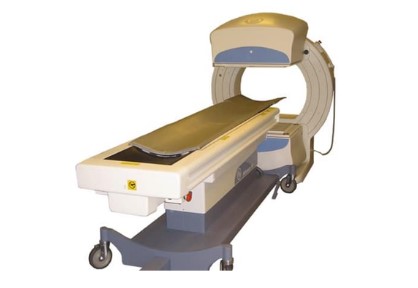
Course Description
Students who complete the GE Millennium MG Series NM course will be able to operate and maintain systems to OEM specifications. They will develop proficiency in identifying system components, performing preventive maintenance, calibrations, and troubleshooting skills necessary for diagnosing and repairing system faults. This training program aims to equip engineers with the skills to maximize customer uptime, by giving the engineer maximum hands-on system time with practical system experience.
Training duration - 5 Days
Course Design
This one-week course is designed to take field service engineers to an intermediate/advanced level of knowledge. Training has been designed to empower the engineer with specific training to know where to find answers and not just have all the answers. This kind of training increases system uptime and labor costs. Thus, engineers maintain system uptime by; performing proper preventive maintenance, FRU replacement procedures, software diagnosis, and most service calls. Training is approximately 30% classroom-based and 70% hands-on equipment.
Pre-Requisites
Students are recommended to have a background in molecular imaging and a basic understanding of nuclear medicine isotopes. Students will be working around radioisotopes and must always wear their dosimeters while attending class. Students who are not familiar with Radioisotopes will need to complete an online course before attending.
Course Syllabus Objectives:
· Acquiring all necessary service documentation and manuals
· System safety and Identification of system models
· Learning how to navigate service manuals with expert guidance
· Learn all hardware components and identify them
· Learn the communication chain of the subsystems
· Learn to operate system software on all levels
· Learn to install system software and perform LFC procedures
· Learn to remove all gantry and table covers and replace them
· How to be effective with all Preventive Maintenance procedures
· Learn how to diagnose system faults and replace FRU’s
· How to perform all motion and detector calibrations
· Learn how to run QA’s and inspect images
· Checks and balances before leaving a customer site
Training Facility
Contact Person/Class Instructor: Gregg Grant
Phone: 866-513-8322
Hotel Location
Residence Inn at Jordan Landing
7558 S Plaza Center Dr
West Jordan, UT 84084
Facility Layout
All students must enter the SLC Probo facility using the double doors located on the east side (front) of the building. If there is no one at the front desk, press the doorbell located on the corner of the counter, and someone will assist you. Restaurant and Entertainment locations The hotel is walking distance to Jordan Landing, a local shopping center, which has a variety of shopping and dining options to choice from.
Training Schedule
Day 1:
· Learning the GE Doc Portal and acquiring all required service manuals
· System safety procedures and environmental conditions
· Understanding the sub-systems of detectors, gantry, table, acquisition cpu
· Identifying all the sub-systems of detectors, gantry, table, acquisition cpu
· Pre-programmed positions
· Cover Removal and Replacement- On System
· Collimator Exchange
· Theory of Operation
Day 2:
· Application Software breakdown
· How to use Lynx/Unix Operating System
· Backup/Restore Procedures
· LFC (Load From Cold) Procedures and Software Needed
· LFC (Load From Cold) Lab
· Xeleris Overview (Processing Station)
· Networking and Configuration
Day 3:
· Motion Calibrations
· FRU Renewal Parts Overview
· Parts Replacement Procedures
· PM Procedures and walk-through
· Diagnostics and Troubleshooting Procedures
· Tips and Tricks of System Faults
· Proper Shutdown Procedures
Day 4:
· How to create a new patient and static study
· Understanding the QC Card
· Detector Calibrations and Maps
· Daily QC and COR
· Processing the Daily Floods on Xeleris
· Preparing system for ACR
Day 5:
· Review of the week
· Q and A Session
· Final Test
· Head Home